Why 80% of Marketing Emails Land in Spam (And How to Fix Your Subject Lines)
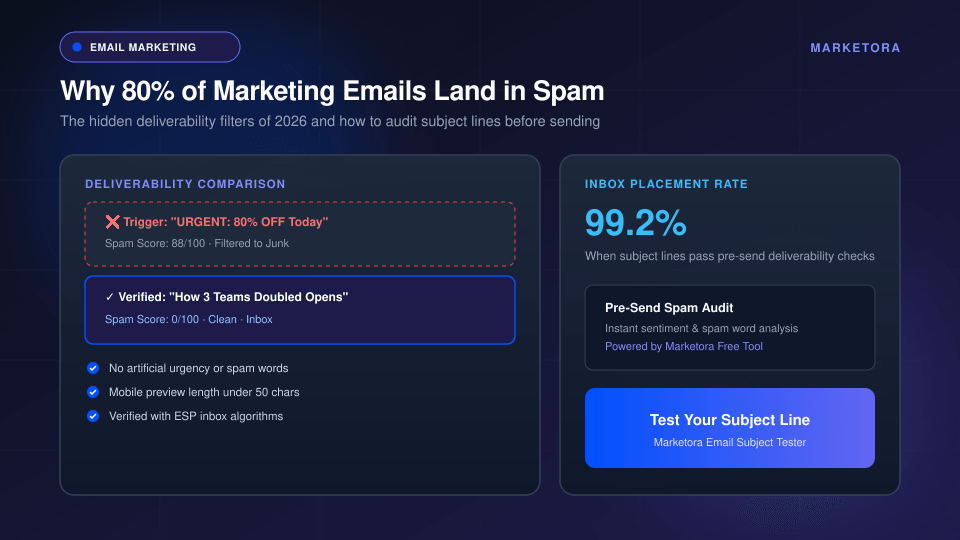
Modern spam filters don't just look for words like 'FREE' or dollar signs. Learn the hidden deliverability triggers that kill inbox placement and how to audit subject lines before hitting send.
The Silent Deliverability Crisis of 2026
Every marketing team measures open rates, but very few teams monitor where their unopened emails actually went. In 2026, email service providers (ESPs) like Google Workspace, Microsoft 365, and Apple Mail use AI-powered semantic filters to categorize incoming messages before they ever touch a user's primary inbox.
If your subject line sends the wrong algorithmic signals, your carefully crafted email bypasses the inbox entirely—landing silently in the Spam folder or buried beneath the Promotions tab. The result? Sub-15% open rates, lost pipeline, and a damaged sender reputation.
How Modern Mailbox Algorithms Judge Your Subject Lines
Old-school spam filters relied on simple blacklists of forbidden words (such as 'FREE', 'CASH', or '$$$'). Today's inbox algorithms evaluate intent, context, and historical engagement. Here are the three primary triggers that quietly destroy deliverability:
1. Deceptive Urgency and Fake Prefixes
Tricks that worked five years ago—such as prepending 'Re:' or 'Fwd:' to simulate an existing thread, or shouting 'LAST CHANCE: OPEN RIGHT NOW'—are now actively penalized. Machine learning filters recognize deceptive patterns instantly and automatically downgrade domain health scores.
2. Excessive Punctuation and Emotional Bait
Using multiple exclamation points (!!!), random dollar signs, or excessive emojis in the subject line flags your email as unsolicited promotional broadcast material. Clean, authoritative subject lines that mimic high-value business communications consistently achieve the highest placement rates.
3. The 45-Character Mobile Preview Cut-Off
Over 68% of commercial emails are opened on mobile devices. When your subject line exceeds 50 characters, your core value proposition gets clipped by the mobile viewport. If the visible hook fails to convey immediate relevance in the first 4 to 6 words, readers simply swipe to delete.
The 4-Point Pre-Send Deliverability Audit
Before scheduling any broadcast or drip sequence, run your subject lines through this 4-step checklist:
- Length Check: Is the subject line between 35 and 50 characters?
- Sentiment Audit: Does the phrasing convey clear benefits rather than synthetic urgency?
- Curiosity vs. Bait: Does the subject line make an honest promise that the email body actually delivers?
- Preheader Harmony: Does your preview text complement the subject line rather than repeating it?
Case Study: Moving from 14% to 38% Open Rates
A B2B SaaS marketing team struggled with an average open rate of 14.2% across their product nurture sequence. By auditing their existing subject lines, removing fake urgency markers, and testing concise, curiosity-driven variations, their average open rate jumped to 38.6% within two weeks.
Deliverability isn't luck—it is a repeatable discipline of testing your hooks before you hit broadcast.